> ## Documentation Index
> Fetch the complete documentation index at: https://resources.iqpay.com/llms.txt
> Use this file to discover all available pages before exploring further.
# Settings & Support
> Language settings, home screen install, and getting help.
## Language Settings
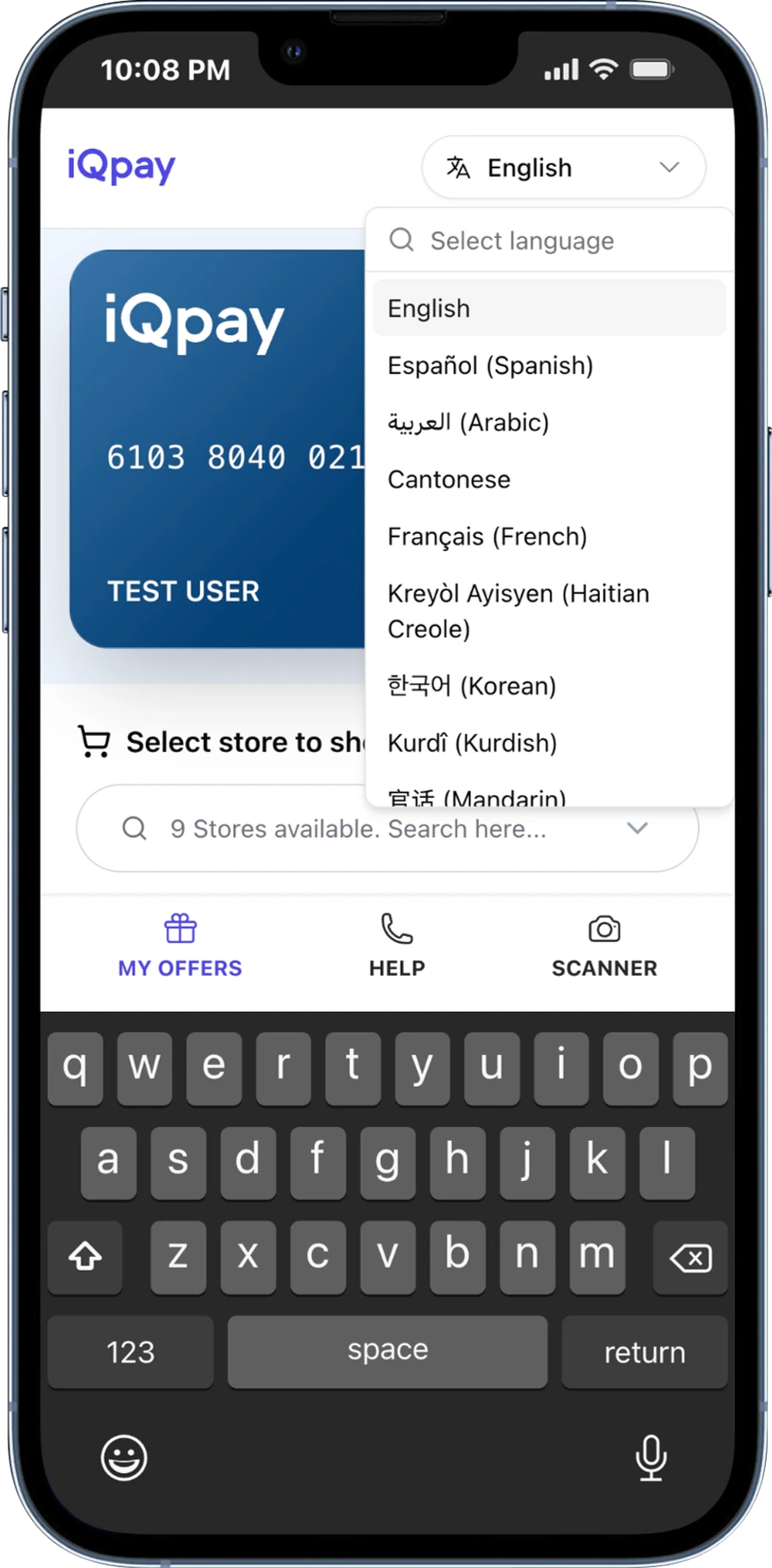
iQpay works in 16 languages. This includes languages that read right-to-left, like Arabic.
The language selector is in the **header bar at the top of the wallet** — it is always visible. Tap it, pick a language, and everything on screen changes right away.
Supported languages:
* English
* Español (Spanish)
* العربية (Arabic)
* Cantonese
* Français (French)
* Kreyòl Ayisyen (Haitian Creole)
* 한국어 (Korean)
* Kurdî (Kurdish)
* 官话 (Mandarin)
* Português (Portuguese)
* Русский (Russian)
* Soomaali (Somali)
* Kiswahili (Swahili)
* Tagalog
* Українська (Ukrainian)
* Tiếng Việt (Vietnamese)
 ## Adding to Your Home Screen
The iQpay Wallet works like an app on your phone. You can add it to your home screen for quick access.
When you see a message asking to **Add to Home Screen**, tap it and follow the steps. You can also do this yourself from your phone's browser menu.
## Guided Tour
A **7-step guided tour** shows you the main features when you first activate your card. To replay the tour, open the Help section.
## Need Help?
Open the **Help** tab in your wallet. The phone number and email shown there are specific to your program — contact that number first for card or benefit questions.
Call **(888) 253-5667** for general iQpay support.
## Adding to Your Home Screen
The iQpay Wallet works like an app on your phone. You can add it to your home screen for quick access.
When you see a message asking to **Add to Home Screen**, tap it and follow the steps. You can also do this yourself from your phone's browser menu.
## Guided Tour
A **7-step guided tour** shows you the main features when you first activate your card. To replay the tour, open the Help section.
## Need Help?
Open the **Help** tab in your wallet. The phone number and email shown there are specific to your program — contact that number first for card or benefit questions.
Call **(888) 253-5667** for general iQpay support.